
Features
Everything CM Chat does, today.
A plain tour of what is built and running: messaging, files and search, people and guests, administration and the admin activity log, integrations and apps. If something is not ready yet, we say so.
Messaging
Conversations that stay readable.
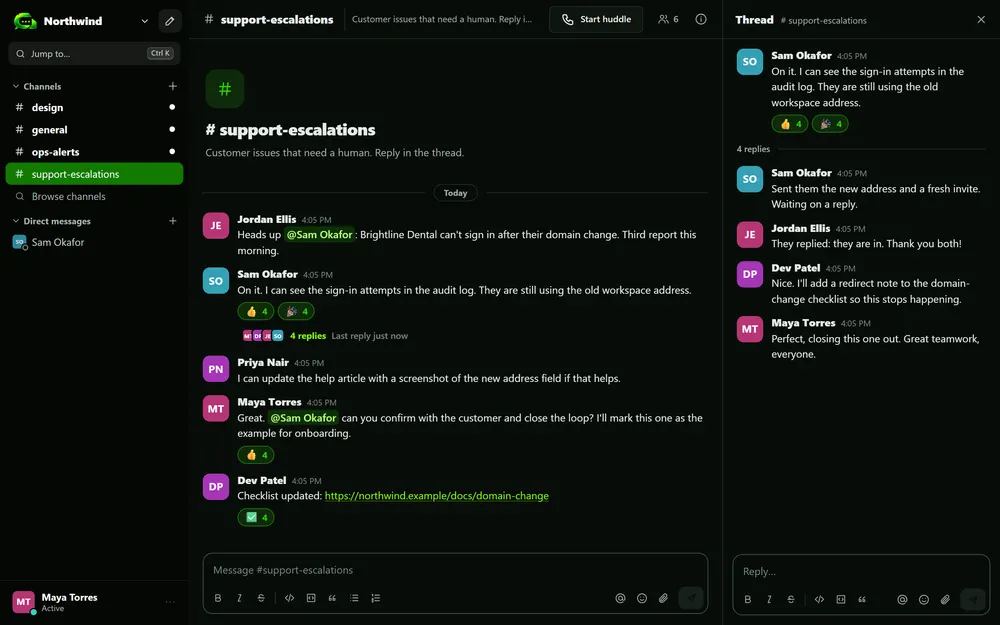
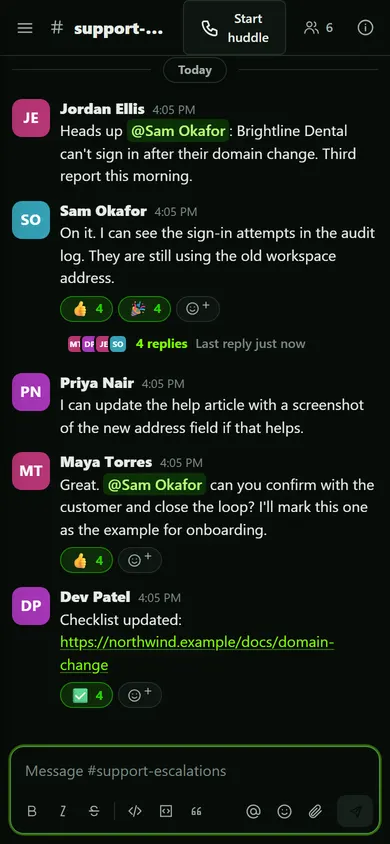
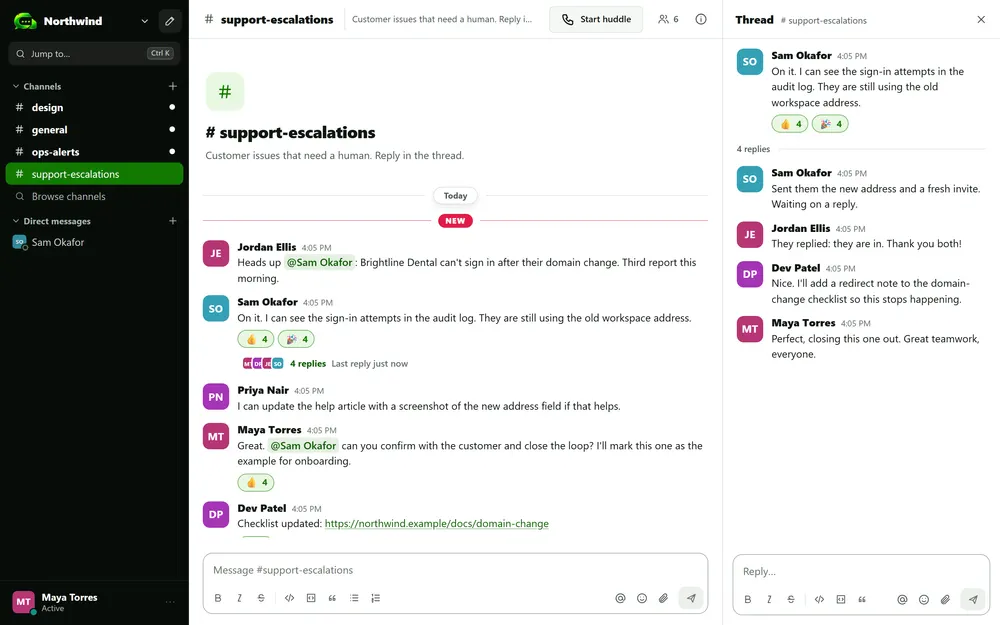
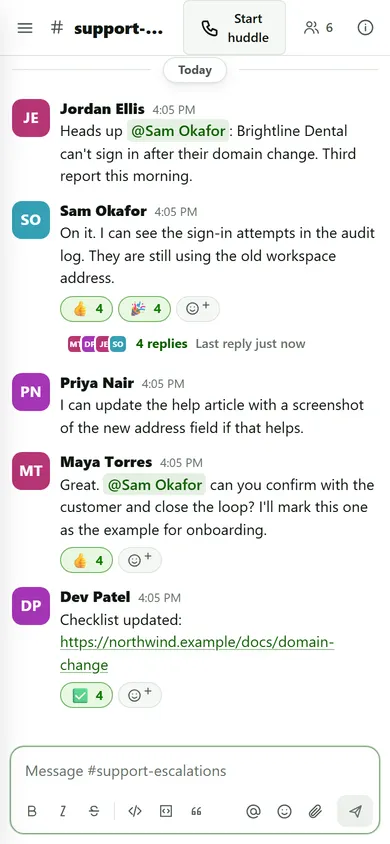
Channels for topics, threads for side conversations, and direct messages for everything else.
- Public and private channels with a topic. Members find and join public channels; private channels are by invitation only. Archive a channel to put it away without losing it.
- Threads keep replies under the message they answer, with a reply count and the time of the last reply.
- Direct and group messages for one person or up to nine people in total.
- Simple formatting: bold, italic, strikethrough, code, code blocks, quotes and lists, with a formatting bar and shortcuts. Messages are always shown as safe text.
- Mentions and reactions:
@name,@channeland@here, plus emoji reactions.
Unread and mentions
Unread and mention counts in the sidebar. Reading on your phone clears the marker on your laptop.
Notifications you control
Desktop notifications per browser, and per channel you choose all messages, mentions only or nothing. Mute channels that get noisy.
Profiles and presence
Name, title, photo, time zone and a short status. A dot shows who is online, away or offline.
Edit and delete
Fix your own messages in place. Press the up arrow in an empty box to edit your last one.
Jump anywhere
Press Ctrl or Cmd plus K to jump to a channel or person. Keyboard shortcuts cover the rest.
Light and dark
Follows your device, or pick light or dark yourself.
Voice and video huddles are on the way.
Files and search
Share it. Find it again.
Files live inside the conversation, and search only ever looks where you are allowed to look.
Files in the conversation
Attach files or drag them onto the chat. Images show in place; documents download. The default limit is 50 MB, and admins can set it anywhere from 1 to 100 MB.
Encrypted in transit and at rest
File contents and file names are encrypted when they are stored, and while they travel to you.
Links that expire
Download links are made fresh each time and stop working after about ten minutes. A copied link is no use later.
Downloads are logged
File downloads and removals go into the admin activity log, so you can answer who opened what.
Search that respects access
Find whole words across every conversation you can read, with filters for the conversation and the person. Accents and capital letters do not matter.
Retention you choose
Keep messages forever, or have the owner set a window from 30 days up to ten years.
People and guests
The right people, and only them.
Nobody joins without an invitation, and outsiders see exactly what you choose.
- Invite-only workspaces. An invitation link works for one person and for seven days. Admins can resend or revoke it.
- Four roles: owner, admin, member and guest. The last owner can never be removed by accident.
- Guests are clients or outside helpers. They see only the channels you add them to, only the people they share a channel with, and their access ends on a date you set (from one hour up to a year).
- Sign in your way: an emailed one-time code or a passkey. Add an authenticator app or recovery codes, and owners can require a second step for everyone.
- Control over sessions: people can review and end their own devices, and admins can sign anyone out everywhere.
Admin and audit
Run it with your eyes open.
A short list of settings that matter, and a record of everything important that happens.
- A detailed log of admin activity. Sign-ins, invitations, role changes, channel changes, settings changes and file downloads, with who did it and when. Admins read it in their own console.
- Security settings: choose which countries people can sign in from, session lengths, guest session lengths, a required second step and passkeys required for admins. Risky changes ask you to confirm it is you.
- Manage people, channels, files and sessions from one admin console. Deactivate someone and they are signed out at once.
- Permanent deletion. When a channel or workspace is deleted for good, its data is made unreadable and then removed.
- Nightly backups are kept for 30 days or less.
9:02 AM9:14 AM10:31 AM11:05 AMDetailed security documentation is available on request: security@cmchat.app.
Integrations
Keep your tools. Change the address.
CM Chat speaks Slack’s webhook format, so most alerts and tools move over by changing a URL.
Slack-compatible incoming webhooks
Create a webhook for a channel and paste its address into the tool. Slack-style formatting, blocks and attachments are converted for you, and the address can be replaced or revoked at any time.
Bots and bot tokens
Give every connected tool its own bot, and a token that can post only to the channel you pick. Tools that use Slack’s
chat.postMessagecall work with a new address.Verifiable outgoing webhooks
Send each new message in a channel to your own system. Your system can check that every delivery really came from CM Chat.
Slack history import
Upload your Slack export and preview it first. Public and private channels, messages with their original times, threads and reactions come across. Direct messages and files are not imported.
Everything is audited
Creating, changing and revoking integrations is recorded in the admin activity log, and only owners and admins can manage them.
Alert channels that get noticed
Set a channel so that everyone is notified of every message, which suits channels that receive messages from a bot.
There is no app directory. If a tool can post to a webhook, it can post to CM Chat. See CM Chat vs Slack for an honest look at the difference.
Apps
On every screen you work on.
Nothing to install to get started, and apps when you want them.
- Any modern browser. On a computer, Chrome or Edge can install CM Chat as its own window. On an iPhone or iPad, add it to the Home Screen.
- Android app for Android 9 or newer, with push notifications that carry no message text.
- Windows desktop app for Windows 10 and 11, with quick switching between workspaces.
- One sign-in everywhere. Passkeys, codes and authenticator apps work the same on every device.
Your administrator gives you the Android and Windows installers. Voice and video huddles are on the way.
Want to see it with your team?
Workspaces are created by invitation. Tell us about your organization and we will help you get started.